What is Prepper Offline | What’s Inside | Why Prepper Offline | How It Works | Buy It Now
A quick guide to downloading, storing, searching, and getting the most from your Prepper Offline library.
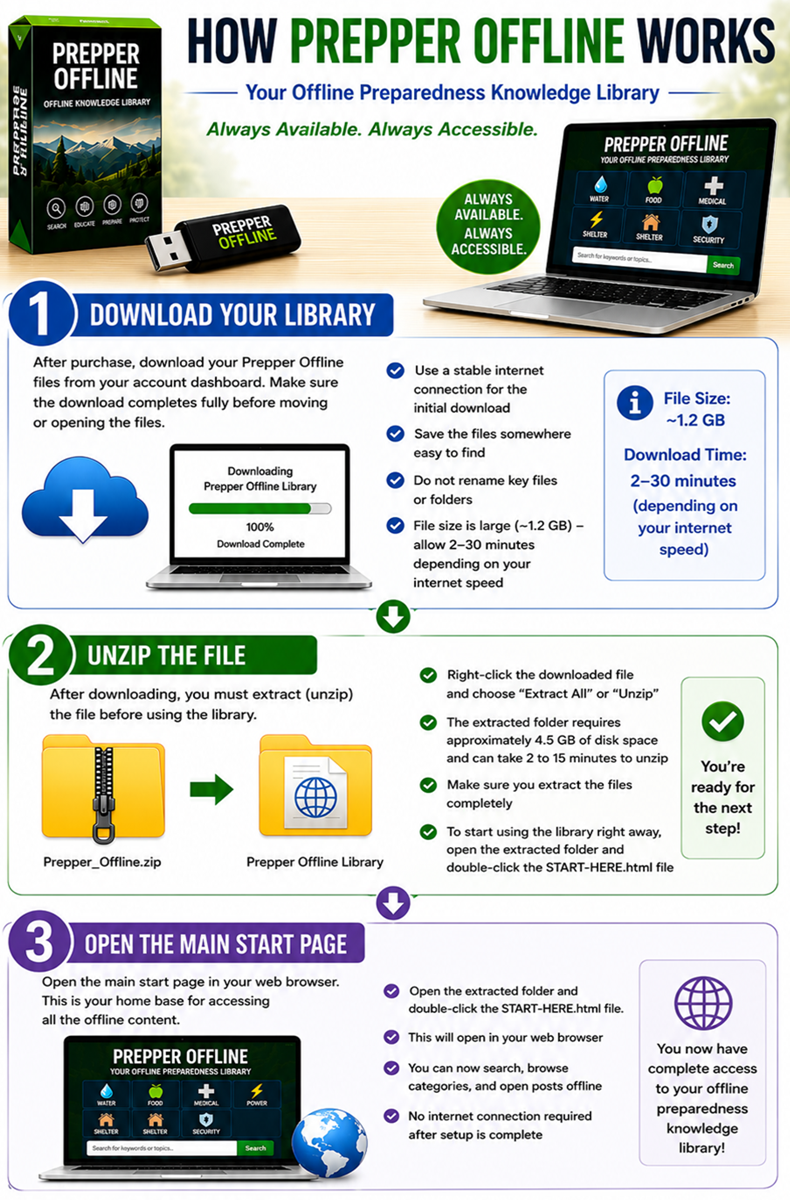
After purchase, download your Prepper Offline files from your account dashboard. Make sure the download completes fully before moving or opening the files.
- Use a stable internet connection for the initial download
- Save the files somewhere easy to find
- Do not rename key files or folders unless you know what each file does
- The download file is large (@1.2 GB), please allow extra time for it to finish completely (typically between 2-30 minutes depending on the speed of your internet)
After downloading, you must extract (unzip) the file before using the library.
- Right-click the downloaded file and choose “Extract All” or “Unzip”
- This will create a new folder containing the full offline library
- The extracted folder requires approximately 4.5 GB of disk space and can typically take anywhere from 2 to 15 minutes to unzip.
- Make sure you extract the files completely before opening anything
To start using the library right away, open the extracted folder and double-click the START-HERE.html file.
Prepper Offline is designed to be stored on devices you can access even when the internet is unavailable.
- Keep at least one backup copy
- Make multiple copies of the zip file or extracted folder (for your personal use only)
- Store them on a USB or flash drive, external hard drive, laptop, or offline tablet
- Consider storing copies in different locations
- Test your stored copy before you need it in a real situation
Once your files are downloaded, extracted and stored in a safe place, open the main start page of your library. This acts as your home base for navigating the offline content.
- To start using the library, open the extracted folder and double-click the START-HERE.html file.
- This will bring up the Prepper Offline launch page.
- Click on the Open Full Version (Best Experience) button and it will launch Prepper Offline in your browser
- Click on Keyword, Categories or search for Postings
- Open postings just like regular web pages on your device
- Bookmark frequently used sections if your browser allows it
One of the biggest advantages of Prepper Offline is fast access to information using the built-in offline search tools.
- Search by keyword, topic, or problem you are trying to solve
- Use simple search terms first, then narrow down if needed
- Try category names like Water, Food, Medical, Power, Shelter, or Security
- Search for practical terms such as “bleeding”, “generator”, “water filter”, or “food storage”
The best way to use Prepper Offline is to become familiar with your most important topics before you ever need them.
- Identify the categories most relevant to your situation
- Review critical postings ahead of time
- Create your own shortlist of must-read pages
- Pair the library with your own notes, maps, and checklists
- Keep your device charged and ready
- Store backup power options if possible
- Test your offline library regularly
- Keep monthly updates current if you subscribe
- Use the library as a reference tool, not just a one-time download
Do I need internet to use it after downloading?
No. Once stored on your device, Prepper Offline is designed to work without internet access.
Where should I keep it?
Keep it on devices you control and can access easily, such as a laptop, USB drive, or external storage device.
Should I keep a backup?
Yes. At least one backup copy is strongly recommended.